
Form 1040 review
AI Form 1040 extraction with staff review
Turn a Form 1040 PDF into figures your team can check. WeCloseBooks shows the source document beside the extracted figures so reviewers can compare the two before approving the data.
Upload the return
Choose a Form 1040 for the client's engagement. In the demo, we use a fictional return with sample wages and adjusted gross income.
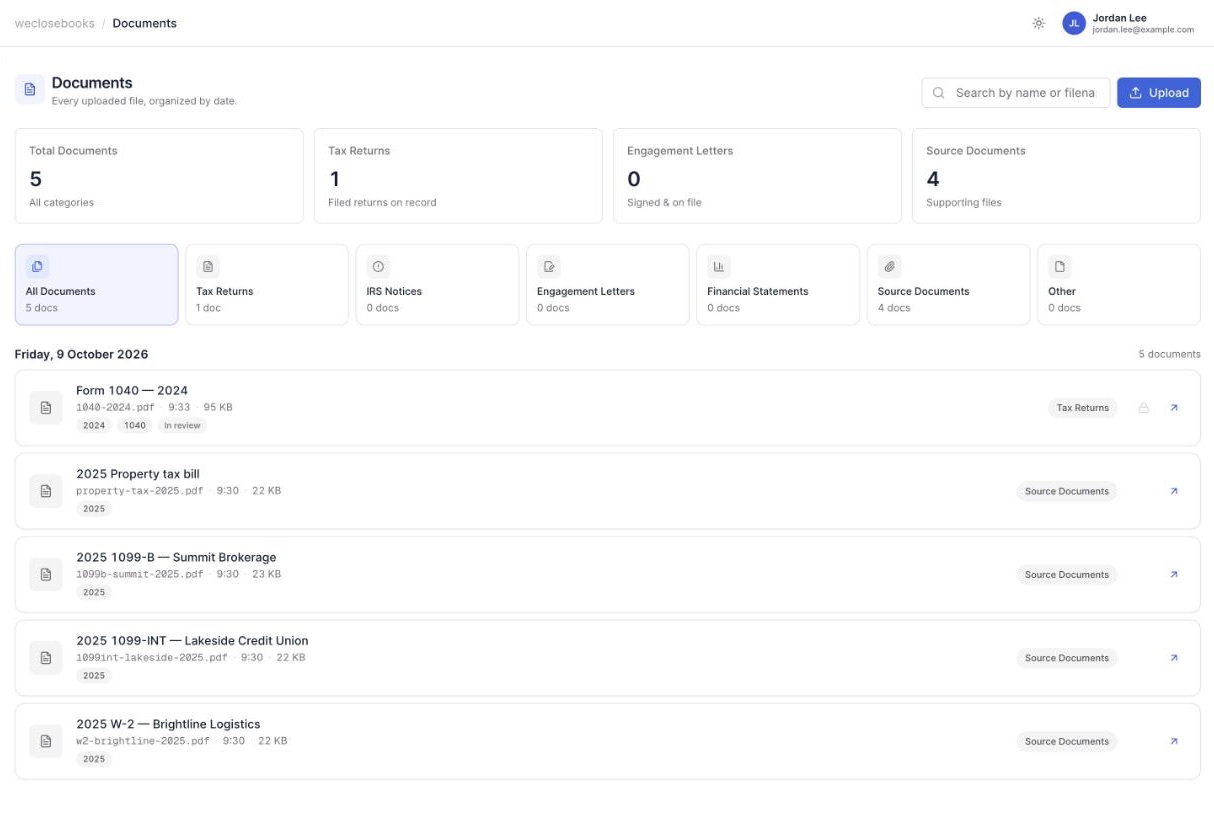
Compare extracted figures with the PDF
Open the review screen and compare the relevant tax-year figures against the original return. Treat an extracted item as a value to review.
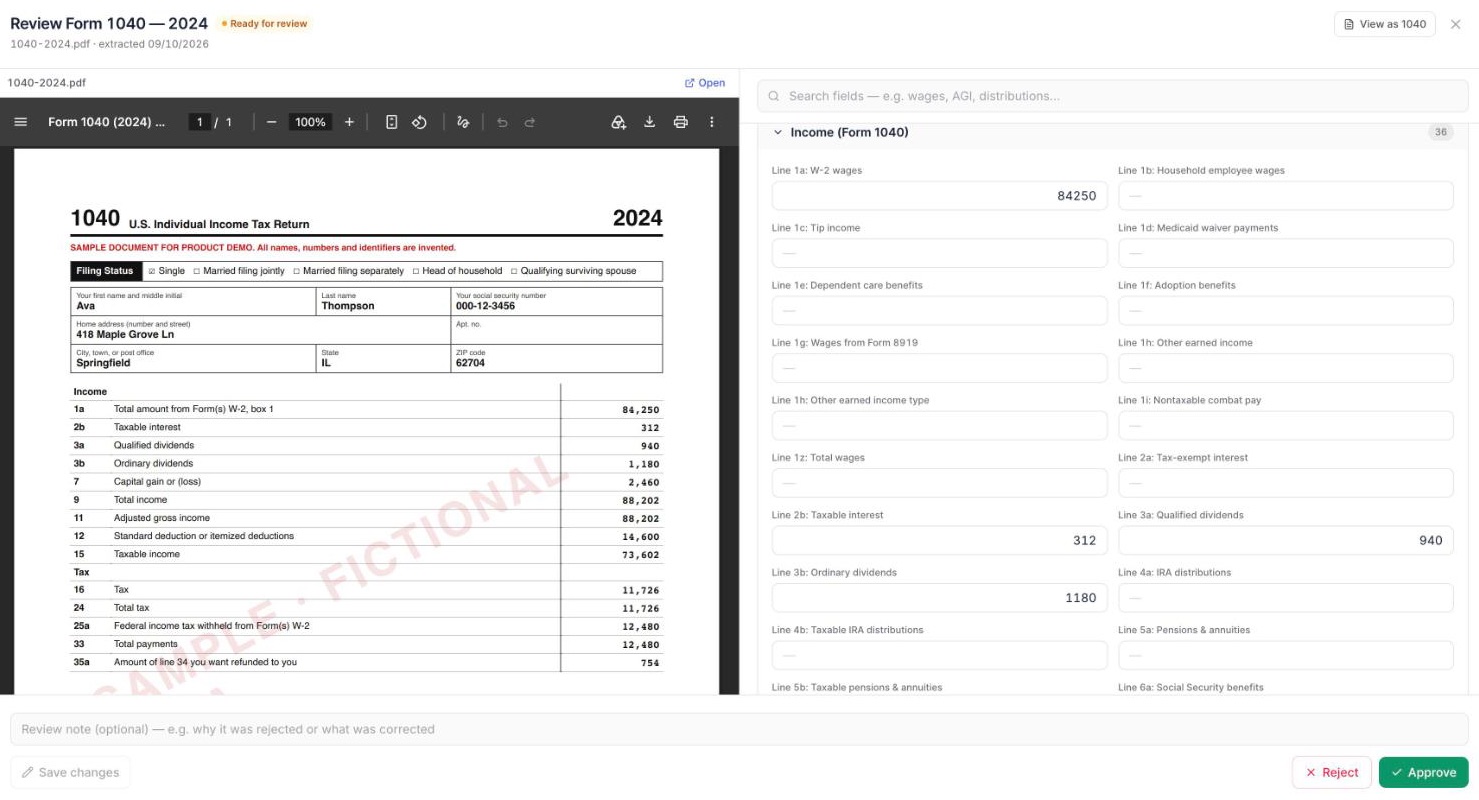
Approve the reviewed figures
Approve the reviewed information and check the client statement. The demo walks through the document, review screen and approved result.
See it in your workflow
Bring your current intake steps to the call. We'll compare how your team receives the return, reviews figures and hands them to the next staff member.
Frequently asked questions
- What form does this demo use?
- The demo uses a fictional Form 1040 PDF.
- How does a staff member check extracted figures?
- The review screen shows the source PDF alongside extracted figures. Staff compare the data before approving it.
- What can I see after approval?
- A reviewer can check the client statement for the approved values in the demo.